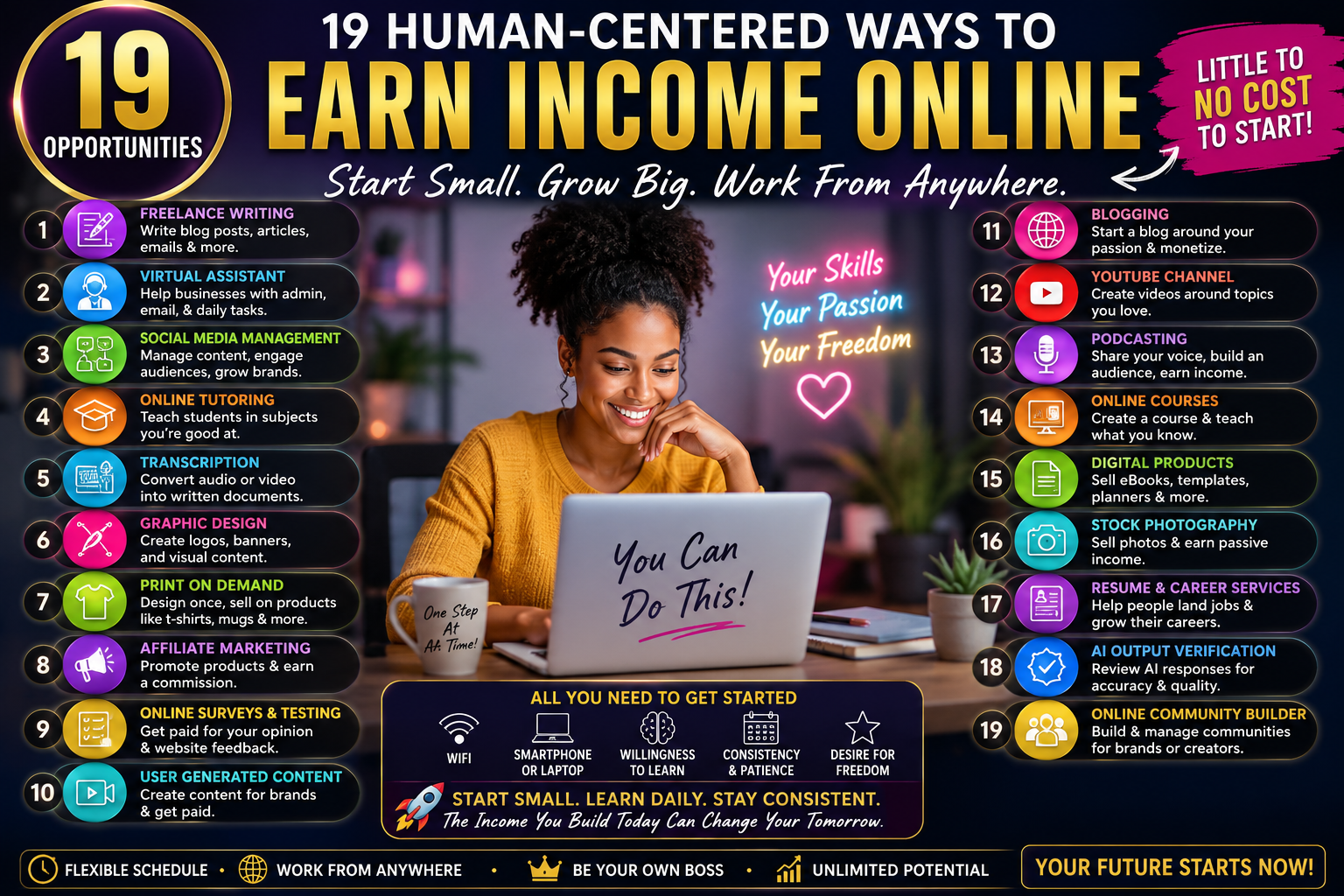
19 Human-Centered Ways to Earn Income Online
How to Start With Little to No Money, Build Useful Skills, and Create an Income Path That Can Grow With You
Start Where You Are
Making money online does not have to begin with a large investment, an advanced degree, thousands of followers, expensive software, or years of technical experience.
Sometimes the better question is:
What can I observe, organize, explain, improve, create, test, or help someone accomplish today?
Many businesses and creators do not need someone who can do everything. They need someone who can solve one real problem well.
These opportunities are human-centered because they rely on judgment, organization, creativity, communication, curiosity, attention, empathy, and problem-solving.
Choose one opportunity that fits your current skill level, learn the basic task, create a sample, and give yourself room to improve.
Income is never guaranteed. Demand, experience, location, qualifications, consistency, and quality all matter.
Which Path Sounds Most Like You?
I’m Completely New
Start with website testing, paid research participation, transcript review, digital organization, or community assistance.
I’m Creative
Explore UGC, presentation makeovers, podcast repurposing, newsletters, or course setup.
I’m Organized
Consider CRM cleanup, ecommerce catalogs, workspaces, archives, course operations, or community systems.
I Like Research & Technology
Explore research briefs, AI verification, accessibility reviews, automation, or directory building.
Pick the one that gives you the clearest starting point and an interesting place to grow.
Website & App Experience Tester
Companies need real people to use websites, apps, forms, checkout pages, and prototypes and explain what feels understandable or confusing.
Observant beginners who can explain what they notice.
Computer or smartphone, internet, microphone, quiet environment.
How to Start
- Open a website you regularly use.
- Choose one task, such as finding a product.
- Speak aloud while completing the task.
- Explain what was easy, confusing, or unexpected.
- Apply to legitimate usability-testing platforms.
Complete several thoughtful practice tests without rushing.
Your value is your real experience and ability to explain what another human being may find confusing.
Paid Product & Market Research Participant
Companies and researchers pay qualified people to participate in interviews, focus groups, surveys, product discussions, and research studies.
People comfortable sharing genuine experiences and opinions.
Email, smartphone or computer, video-call access, internet.
How to Start
- Create truthful participant profiles on legitimate research platforms.
- Add your genuine work experience, interests, and buying habits.
- Complete screening questions honestly.
- Apply only to studies that actually match your background.
- Show up prepared and answer thoughtfully.
Qualify for one study and learn how research interviews work.
Your lived experience can provide information a company cannot get from a spreadsheet alone.
User-Generated Product Content Creator
Businesses often need natural videos and photos showing how real people use or explain products.
Creative people comfortable using a phone camera.
Smartphone, natural light, Canva or basic video editor.
How to Start
- Choose products you already own.
- Create an unboxing or demonstration.
- Create a short “how I use this” video.
- Create a before-and-after style sample where appropriate.
- Build a portfolio of 5 polished practice pieces.
Create five strong samples in one niche.
People often understand products better when they can see another person naturally using them.
Presentation Makeover Specialist
Good ideas can lose attention when presentations are crowded, inconsistent, or difficult to follow.
People who enjoy design, organization, and visual communication.
Canva, Google Slides, or PowerPoint if available.
How to Start
- Create three intentionally plain slides.
- Redesign them with clear visual hierarchy.
- Create a title, information, and comparison slide.
- Show before-and-after examples.
- Build a small presentation portfolio.
Create one polished 6–10 slide sample presentation.
You help people understand information instead of simply decorating it.
Podcast Content Repurposing Assistant
One podcast episode can become show notes, quotes, clips, social posts, article ideas, newsletters, and summaries.
Strong listeners, writers, and organized creative thinkers.
Google Docs, Canva, transcription tools, basic video editing.
How to Start
- Choose a public podcast episode for practice.
- Create a short summary.
- Pull out five useful quotes.
- Suggest three social posts.
- Identify five potential clip timestamps.
Turn one long-form episode into five useful content assets.
You recognize which ideas are meaningful enough to become their own content.
Newsletter Production Assistant
Writers may know what they want to say but still need help formatting, checking, scheduling, and publishing newsletters.
Detail-oriented people who enjoy writing and organization.
Newsletter platform, Google Docs, Canva, spreadsheet.
How to Start
- Learn one newsletter platform.
- Create a sample issue.
- Add headlines, images, links, and CTA.
- Check mobile readability.
- Practice scheduling and previewing.
Turn finished writing into one clean, publish-ready newsletter.
You help turn information into a consistent relationship with readers.
Online Community Operations Assistant
Digital communities need people to welcome members, organize conversations, answer routine questions, schedule activities, and maintain a healthy environment.
Helpful communicators who enjoy working with people.
Discord, Slack, Facebook Groups, Circle, or client platform.
How to Start
- Learn one community platform.
- Write a welcome message.
- Create a FAQ post.
- Create a weekly discussion prompt.
- Create simple community guidelines.
Learn how to help ten people feel welcomed and organized.
People are more likely to remain where they feel noticed, respected, and included.
Create Research Briefs for Busy People
Entrepreneurs and organizations often need useful answers but do not have hours to research every decision.
Curious people who enjoy finding and organizing information.
Search engines, Google Docs, spreadsheets, source-checking.
How to Start
- Choose one focused question.
- Find credible sources.
- Compare options or findings.
- Summarize the information clearly.
- Include source links and a short conclusion.
Create one professional two-page research brief.
Your product is not more information. Your product is useful clarity.
CRM Cleanup & Lead Intelligence Specialist
Business contact databases often become filled with duplicates, missing information, outdated notes, and unclear lead status.
Organized people comfortable working with spreadsheets.
Google Sheets, Excel, and free CRM tutorials.
How to Start
- Create a sample contact spreadsheet.
- Add names, companies, emails, status, and notes.
- Create some duplicates and missing fields.
- Clean and standardize the records.
- Learn the basics of one CRM platform.
Organize 100 records accurately.
Good organization allows sales teams to focus on relationships instead of messy records.
Beginner No-Code Automation Builder
Many businesses repeat the same digital steps every day. Basic automation can reduce unnecessary repetition.
Logical thinkers who enjoy building simple systems.
Zapier, Make, Google Forms, Google Sheets, email.
How to Start
- Create a basic form.
- Send responses into a spreadsheet.
- Trigger a confirmation email.
- Test the workflow several times.
- Document what each step does.
Successfully automate one three-step process.
Automation can remove repetitive work so people have more time for decisions and relationships.
Digital Workspace Organizer
Digital workspaces can become just as cluttered as physical ones.
People who naturally enjoy organizing information.
Notion, Airtable, Trello, Google Drive, or client tools.
How to Start
- Choose one workspace platform.
- Create folders or areas for projects and tasks.
- Add resources and a calendar.
- Create an archive area.
- Make the system understandable without explanation.
Build one simple workspace another person can immediately understand.
You reduce mental clutter by making information easier to find and use.
Ecommerce Catalog Cleanup Specialist
Online stores often contain inconsistent titles, descriptions, images, tags, categories, and product information.
Detail-oriented people who enjoy products and organization.
Spreadsheets, WooCommerce, Shopify, Etsy, or client platform.
How to Start
- Create a sample list of 20 products.
- Standardize product titles.
- Organize categories and tags.
- Clean descriptions and image filenames.
- Check links and product status.
Clean a small catalog accurately and consistently.
You help make products easier for real shoppers to understand and discover.
Google Business Profile Content Assistant
Many local businesses rely on Google for discovery but do not consistently maintain their public profiles.
People interested in local businesses and marketing.
Google Business Profile, Canva, Google Docs.
How to Start
- Study several strong local business listings.
- Review descriptions, images, hours, and categories.
- Create four sample business update posts.
- Write sample review responses.
- Create a one-month profile content plan.
Create four weeks of professional local-business profile content.
You help real businesses communicate clearly with real people in their communities.
Entry-Level Digital Accessibility Checker
Accessibility helps more people use websites, documents, videos, and digital information.
Careful reviewers interested in inclusive design.
Free accessibility checkers, browser tools, W3C guidance.
How to Start
- Learn basic accessibility principles.
- Review image ALT text.
- Check heading organization.
- Look for unclear links and missing captions.
- Document issues without claiming legal certification.
Learn to identify common basic accessibility issues accurately.
Better accessibility allows more people to participate in digital life.
Caption & Transcript Quality Reviewer
Automated transcripts can misunderstand names, punctuation, speakers, and specialized terms.
Strong listeners with careful language skills.
Headphones, word processor, transcript or caption editor.
How to Start
- Use a recording you own.
- Generate an automatic transcript.
- Correct names and punctuation.
- Separate speakers correctly.
- Review timing when captions are involved.
Create one clean transcript that could actually be published.
You understand context that automated transcription can miss.
AI Output Verification Assistant
AI can create information rapidly, but someone may still need to check whether the output is correct, complete, relevant, and properly sourced.
Critical readers who enjoy checking details and sources.
AI tools, web research, spreadsheets, source checking.
How to Start
- Generate five sample AI responses.
- Check instruction-following.
- Verify factual claims with credible sources.
- Identify missing or invented information.
- Create a structured QA report.
Do not claim expertise in medical, legal, financial, engineering, or other high-stakes fields unless you actually have it.
Human judgment becomes more important when an error has meaningful consequences.
Remote Digital Archive Organizer
People and small businesses accumulate photos, documents, receipts, certificates, writing, and cloud files faster than they organize them.
Highly organized people who respect privacy.
Google Drive, Dropbox, OneDrive, or client storage.
How to Start
- Practice organizing your own files.
- Create a consistent naming system.
- Build clear folder categories.
- Create archive and backup rules.
- Write a one-page explanation of your system.
Create one repeatable digital organization system.
You help preserve valuable information while reducing digital overwhelm.
Online Course Setup Assistant
Teachers and experts may know what they want to teach but need help turning material into an organized digital course.
Organized people interested in education and online platforms.
Course platform, Canva, Google Docs, cloud storage.
How to Start
- Create a sample three-lesson mini-course.
- Organize lessons into modules.
- Add downloads and worksheets.
- Check links and lesson order.
- Create simple welcome instructions.
Turn finished teaching material into an organized learner experience.
You help turn someone’s knowledge into an environment where another person can actually learn.
Build a Curated Niche Opportunity Directory
Instead of only selling your time, you can gradually build an information asset people return to.
Researchers, curators, writers, and resource-minded creators.
Google Sheets, Notion, Airtable, WordPress, or similar tools.
How to Start
- Choose one narrow audience or need.
- Collect 25 legitimate resources.
- Include eligibility, price, deadline, and official link.
- Organize entries so they are easy to filter.
- Update the directory consistently.
Build an unusually useful 25-item directory for one specific audience.
You save people time by deciding what belongs, what is credible, and what is actually useful.
Your 30-Day Online Income Starter Plan
Week 1 — Choose & Learn
Select one opportunity. Learn what the work involves. Watch tutorials and practice the core task.
Week 2 — Build Samples
Create two or three examples that show what you can do.
Week 3 — Create Your Presence
Put your samples into a simple portfolio, service page, shared folder, or presentation.
Week 4 — Start Reaching Out
Apply for opportunities, contact potential clients, publish your service, or begin testing your offer consistently.
You do not need to become an expert in 30 days. Become useful enough to solve one small problem reliably.
Keep Your Startup Costs Low
Do not build an expensive business before you have proven that somebody wants the service.
- Smartphone or computer
- Internet connection
- Google Docs
- Google Sheets
- Cloud storage
- Free design or editing tools
- Free tiers of platforms when appropriate
Validate first. Upgrade later.
Paid tools make more sense when real work begins to justify the expense.
Before You Say Yes to an Online Opportunity
Be cautious when someone:
- Requires a large payment simply to access work.
- Promises extraordinary or guaranteed income.
- Asks you to move money through your bank account.
- Sends a check and asks you to send part of it elsewhere.
- Requests unnecessary identity or banking information.
- Pressures you to act immediately.
- Cannot clearly explain what the work actually involves.
Who am I helping?
What am I actually doing?
Why would somebody legitimately pay for this?
If those questions cannot be answered clearly, protect your time and your money.
Your Skills Are Allowed to Grow
The strongest opportunity may not be the one that pays the fastest.
It may be the one that teaches you something valuable while you earn.
Website Tester → UX Research
CRM Cleanup → Sales Operations
Newsletter Assistant → Email Marketing
Course Setup → Education Operations
No-Code Beginner → Automation Consulting
Directory Curator → Information Business
Do not only ask: “How much can I make doing this today?”
Ask: “What can learning this allow me to do six months from now?”
Keep Building From Your Smartphone
Side Hustle Success: Build a Profitable Business Using Only Your Smartphone
You have now explored 19 ways to begin creating income online.
The next step is learning how the device you may already use every day can become part of your business-building toolkit.
Side Hustle Success: Build a Profitable Business Using Only Your Smartphone is an additional digital resource available to NettaVibes Premium members.
Use this companion guide as you continue turning ideas, everyday skills, creativity, communication, and technology into practical opportunities you can build from wherever you are.
Premium Member? Access your member benefit.
Not a Premium Member? Visit the product page to learn more about the guide.
View the Side Hustle Success GuideProduct access, pricing, and Premium Member benefits are subject to the current information displayed on NettaVibes.com.
You do not need to master everything at once. Choose one opportunity, learn how to solve one real problem, build confidence through practice, and allow your skills—and your income possibilities—to grow with you.
You Are Allowed to Begin Small
You do not need to enter the online economy as the finished version of yourself.
You can begin with one small skill.
You can learn while doing.
You can become more organized.
You can improve how you communicate.
You can understand customers better.
You can learn technology one tool at a time.
Start at the level you are on.
Choose one problem.
Learn how to solve it well.
Then give yourself room to grow.
Your attention, judgment, creativity, communication, curiosity, experience, and ability to help another person still have real value.